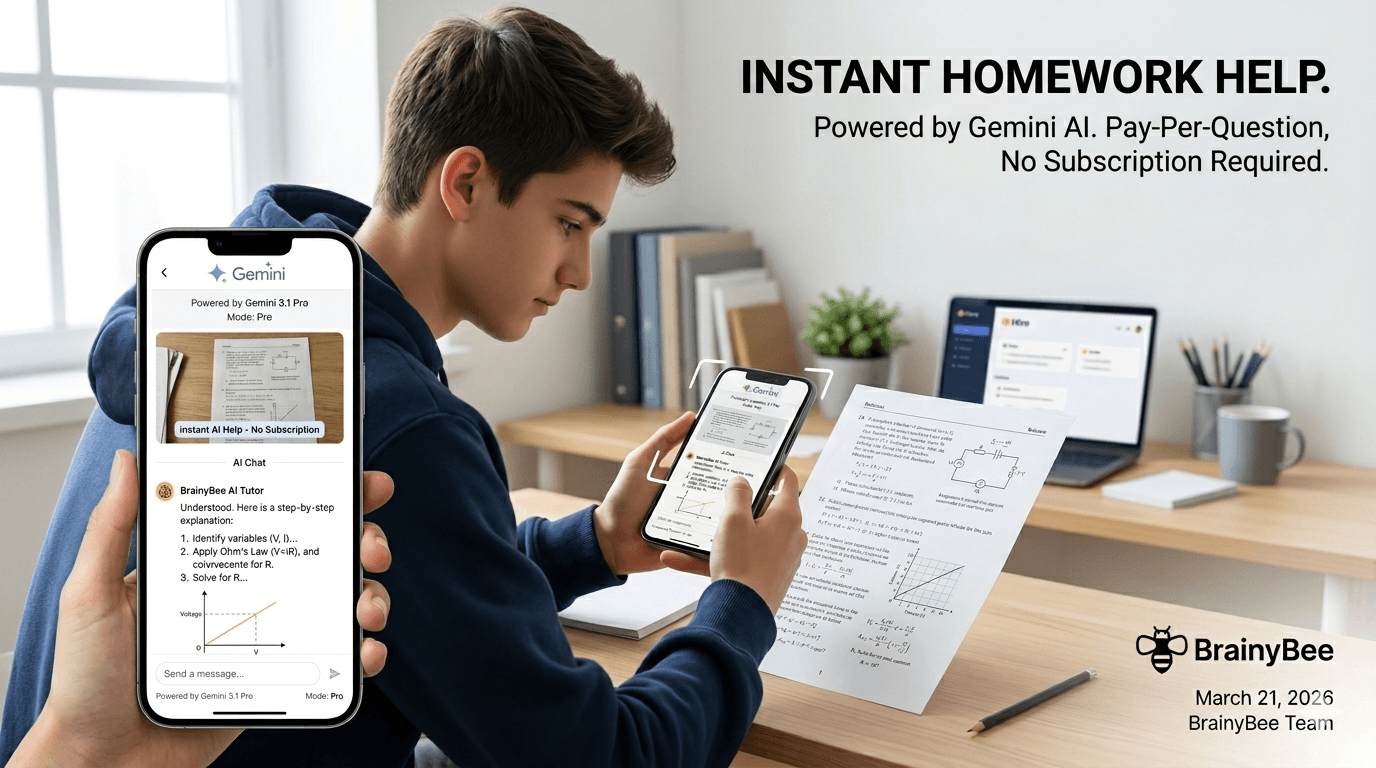
You're staring at question 14 on your maths worksheet. The textbook explanation makes no sense. You've re-read it three times. Your tutor isn't available until Thursday.
What if you could just snap a photo of the problem and get a clear, step-by-step explanation in seconds?
That's exactly what BrainyBee does — and it costs less than a penny per question.
How It Works
BrainyBee is built around Hives — personal AI-powered study spaces you create for any subject. Inside every Hive is an AI Chat powered by Google's latest Gemini 3.1 Pro model (the same technology behind Google's most advanced reasoning capabilities).
Here'he workflow:
1. Create a Hive for Your Subject
Head to BrainyBee and create a free Hive. Call it "Year 10 Maths", "AP Chemistry", "Spanish Homework" — whatever you're studying. It takes about five seconds.
2. Open the AI Chat
Every Hive has a built-in AI assistant. Click the chat icon and you're talking to Gemini — a multimodal AI that understands text, images, diagrams, handwriting, and more.
3. Snap a Photo or Paste a Screenshot
This is the magic part. You can:
- 📸 Take a photo of a textbook page, worksheet, or whiteboard using your phone's camera
- 📋 Paste a screenshot (Ctrl+V / Cmd+V) of a problem from a PDF, website, or online textbook
- 📎 Upload an image (JPEG, PNG, WebP — up to 10MB) of hand-written work you want checked
- Send up to 3 images in a single message for multi-part problems
The AI reads the image, understands the content (including handwritten equations, diagrams, graphs, and tables), and responds with a detailed explanation.
4. Ask Follow-Up Questions
Don't understand the first explanation? Just ask:
"Can you explain step 3 again but simpler?"
"Why did you use the quadratic formula instead of factoring?"
"Show me a similar problem so I can practice."
The AI remembers the full conversation history, so you don't need to re-upload the image or repeat context.
What Subjects Does It Work For?
Everything. If you can photograph it, the AI can help with it:
| Subject | What You Can Send |
|---|---|
| Maths | Equations, word problems, graphs, geometric proofs |
| Science | Lab diagrams, chemical equations, physics problems |
| English | Essay drafts, comprehension passages, grammar questions |
| History | Source analysis, timeline questions, essay plans |
| Languages | Translations, grammar exercises, vocab worksheets |
| Computer Science | Code snippets, flowcharts, pseudocode |
| Economics | Supply/demand graphs, calculation problems, case studies |
The AI doesn't just give you the answer — it explains the reasoning so you actually learn the material.
What Does It Cost?
Here's the part that makes BrainyBee different from every other AI tutoring platform:
There's no subscription. No $30/month plan. No free trial that expires. No credit card required to start.
You pay $0.004 per message — that's four-tenths of one cent. In real terms:
- 50 homework questions = roughly $0.20 (twenty cents)
- A full evening study session (100 messages back and forth) = about $0.40
- An entire month of daily homework help = typically $3–5
Compare that to a human tutor ($40–80/hour) or subscription AI tools ($20–30/month).
How to Add Funds
- Go to Pricing
- Add as little as $5 to your wallet via Stripe
- That's it — your balance carries over indefinitely, no expiry
You only pay for AI-powered features. Browsing community content, taking existing practice tests, and studying shared curriculums is free forever.
Beyond Chat: What Else Your Hive Can Do
Once you've created a Hive for your subject, you've unlocked a full study toolkit — not just chat:
- 📝 Practice Questions — The AI generates exam-style questions on any topic, with detailed explanations. Great for test prep.
- 📖 Study Notes — Auto-generated revision guides, cram sheets, and concept summaries.
- 🃏 Flashcards — Spaced repetition cards with text-to-speech. Build a deck in seconds.
- 📊 Progress Tracking — See which topics you're strong in and where you need more work.
- 📚 Assisted Reading — Upload a PDF or EPUB and get inline AI help as you read.
All of these are available inside the same Hive, so everything stays organised by subject.
Tips for Getting the Best Results
Be specific with your questions. Instead of "help me with this", try:
"I got 42 as my answer but the textbook says 37. Can you show me where I went wrong?"
Upload clear images. Make sure:
- The text/equations are in focus and well-lit
- The full problem is visible (don't crop out important context)
- If it's handwritten, write clearly
Use the Pro model for hard problems. BrainyBee offers two AI models:
- Gemini 3 Flash — Fast and great for straightforward questions (default)
- Gemini 3.1 Pro — Google's most capable reasoning model, better for complex multi-step problems, proofs, and essay feedback
You can switch between them in the chat header. Pro costs 2× more per message ($0.008) but the reasoning quality is noticeably better for challenging work.
Ask it to quiz you. After getting help on a topic, try:
"Give me 3 similar practice problems to make sure I understand."
This turns passive help into active learning.
Privacy and Safety
- Your conversations are private — only you can see your chat history
- Images are processed by Google's Gemini API and are not used to train models
- You can delete any conversation at any time
- No ads, no data selling, no third-party tracking
Get Started in 60 Seconds
- Create a free Hive for your subject
- Open the AI Chat
- Snap a photo of tonight's homework
- Get your explanation
No subscription. No commitment. Just help when you need it.
BrainyBee is built for students who want AI-powered study help without the subscription tax. Create your first Hive →